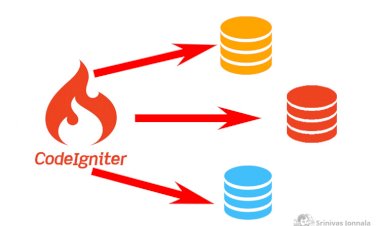
Create PostgreSQL Database connection By Codeigniter
Create PostgreSQL Database connection By Codeigniter
 Srinivas Jonnala
Jan 10, 2022 06:33
670
0
Srinivas Jonnala
Jan 10, 2022 06:33
670
0

First you need to check PostgreSQL Database driver loaded or not by checking phpinfo().
If not add extension=php_pgsql.dll or un commen extension=php_pgsql.dll in php.ini file for window and restart the apache.
For ubuntu sudo apt-get install php-pgsql and restart server.
Check again phpinfo() driver loaded or not.
If loaded open database.php in codeigniter project.
Add the floowing
$db['default'] = array(
//'dsn' => 'pgsql:host=localhost;port=5432;dbname=test;user=postgres;password=test1234',
'dsn' => '',
'hostname' => 'localhost',
'username' => 'yourusername',
'password' => 'yourpassword',
'database' => 'yourdatabase',
'dbdriver' => 'postgre', //mysqli
'dbprefix' => '',
'pconnect' => FALSE,
'db_debug' => (ENVIRONMENT !== 'production'),
'cache_on' => FALSE,
'cachedir' => '',
'char_set' => 'utf8',
'dbcollat' => 'utf8_general_ci',
'swap_pre' => '',
'encrypt' => FALSE,
'compress' => FALSE,
'stricton' => FALSE,
'failover' => array(),
'save_queries' => TRUE,
'port' => '5432'
);
$db['pdo'] = array(
'dsn' => 'pgsql:host=localhost;port=5432;dbname=yourdatabase;user=yourusername;password=yourpassword',
'hostname' => 'localhost',
'username' => 'yourusername',
'password' => 'yourpassword',
'database' => 'yourdatabase',
'dbdriver' => 'pdo',
'dbprefix' => '',
'pconnect' => FALSE,
'db_debug' => (ENVIRONMENT !== 'production'),
'cache_on' => FALSE,
'cachedir' => '',
'char_set' => 'utf8',
'dbcollat' => 'utf8_general_ci',
'swap_pre' => '',
'encrypt' => FALSE,
'compress' => FALSE,
'stricton' => FALSE,
'failover' => array(),
'save_queries' => TRUE
);
If everything ok Codeigniter will connect to PostgreSQL.
Example select query:
$sel_data = $this->db->get('yourschemaname.postgres_table1')->result_array();